


White-label DMC softwareYour client sees your company, with your name and icon.
A client who reads “Powered by” somewhere learns who your software supplier is. So your company's icon, name and logo go on the links you share, the emails you send and the portals your clients and suppliers sign in to. They are also on the app your own team opens every morning.
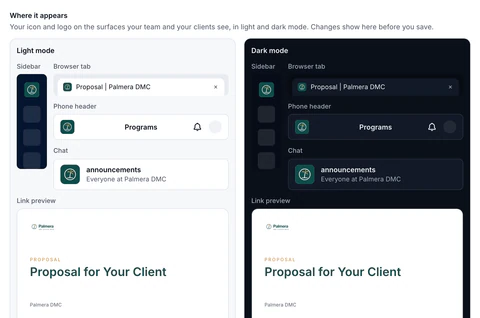
Where your brand goes
Your icon
A square mark, with a dark-mode version, in the sidebar, the phone app's header, company chat channels and the browser tab.
Your links
Every shared link is named “Document | Your company”, with your icon in the tab and your logo on the link preview.
Your email
Email to your clients and suppliers carries your logo and your company name. No “Sent via DMC Pilot” line.
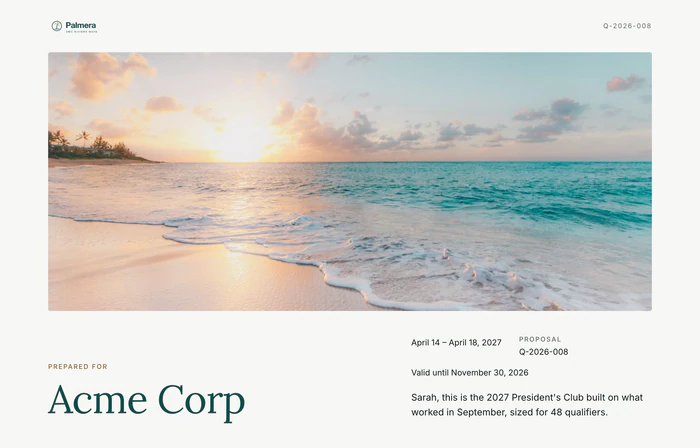

Your clients remember your company.
Every link they open is in your name.
Your portals
The supplier portal and the client portal sign-in page carry your brand. Nothing a client sees says “Powered by DMC Pilot”.
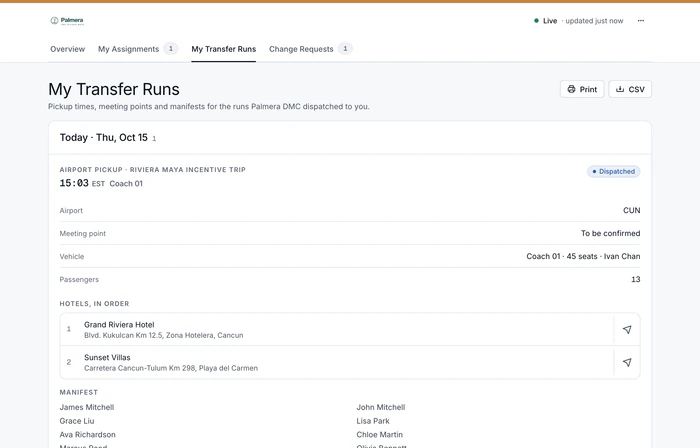
Where the DMC Pilot name still appears.
Two things. The sending address stays on our domain, because email from a domain that is not set up for sending lands in spam. And the one-time sign-in emails for the client and supplier portals still use our own template. Everything a client or supplier opens, reads or pastes into a chat carries your company instead.
- Proposals and destination presentations keep their own colors and fonts, and proposals open in the design you choose from six
- Invoice PDFs print your logo
- After-event report PDFs carry your name, colors and logo, on Growth and up
- Guest pages, photo galleries and Client View carry your icon and name
- The preview in Settings shows every place your brand appears, light and dark, before you save
- Included on every plan
White-label questions
What does the company icon need to be?
A square mark, separate from your logo: SVG, PNG or WebP, at least 128 by 128 pixels (512 by 512 is ideal), up to 2 MB, with an optional second file for dark mode. An SVG file is cleaned on our server before it is used: anything in it that could run code or load from elsewhere is removed. Every size that browsers and phones need is made from it.
What does a client see when we send them a link?
A browser tab with the document's name and your company's name, such as “Proposal | Palmera DMC”, and your icon beside it. Pasted into a chat or an email, the link shows a preview with your logo, the document's title and its cover. Nothing on the page says “Powered by DMC Pilot”.
Do emails to our clients and suppliers come from us?
They carry your logo, and your company name as the sender's name, with no “Sent via DMC Pilot” line. The sending address itself stays on our domain, which helps it reach the inbox rather than spam. The one-time sign-in emails for the client and supplier portals are the one place our own template still appears. Emails to your own team, such as invites and the notification digest, carry your company's name and logo too.
What happens where no icon is set?
The app shows the DMC Pilot mark until you upload your own. The setup checklist asks for it in its first step, next to your company name, colors, currency, time zone and clock.
In your company's name
Your clients and suppliers see your brand everywhere.
Your icon, name and logo go on the links you share, the emails you send and the portals your clients and suppliers sign in to.


See DMC Pilot in a 30-minute demo.
A 30-minute call with our team, using data like yours. If it fits, we set up your price list, suppliers and first programs with you.