


DMC proposal softwareSend the proposal. When they sign, the program is ready.
Build each proposal from your own price list, in one of six designs. You see your margin as you work; your client never does. When they sign, the program is created for you. The dates, services and supplier bookings move into the program, so operations starts from exactly what the client signed.
From first draft to a live program
Build
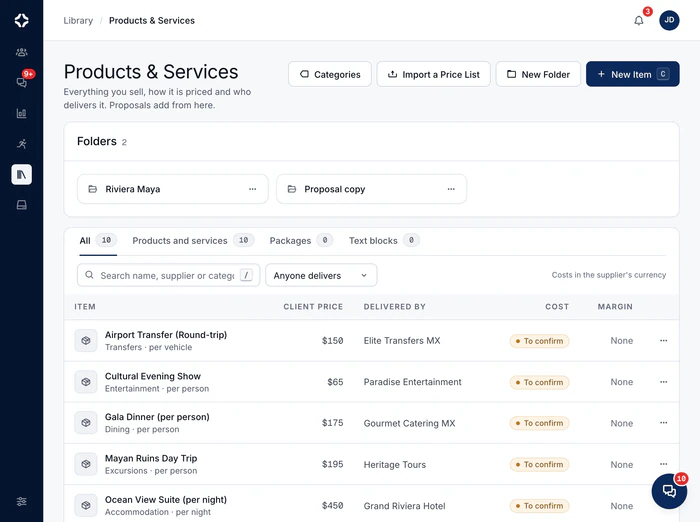
Add a cover, events and sections, with headings, text, images, slideshows, galleries, video and audio. Pull them from Products & Services, or write them in place.
Price
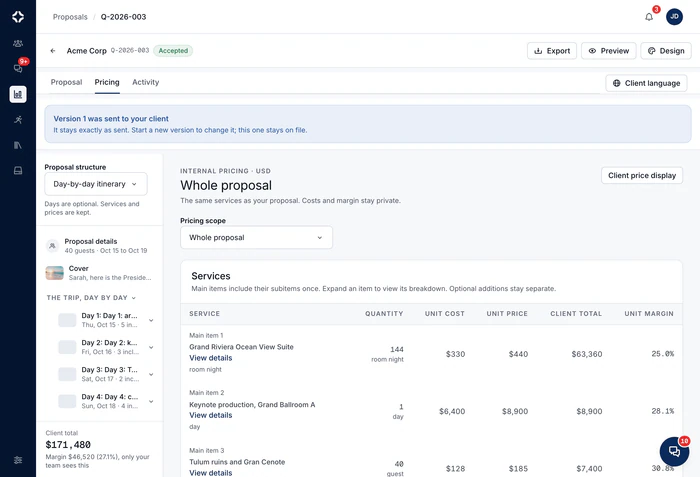
Each line shows the client price, your cost and your margin. Add optional or hidden lines, tax, a management fee and saved costing versions. Quick add prices a one-off line from its cost and margin, and a proposal cannot be published with a client line left unpriced.

The signed proposal becomes the program for the event.
The program starts from what the client accepted, at the prices they accepted.
Send and follow
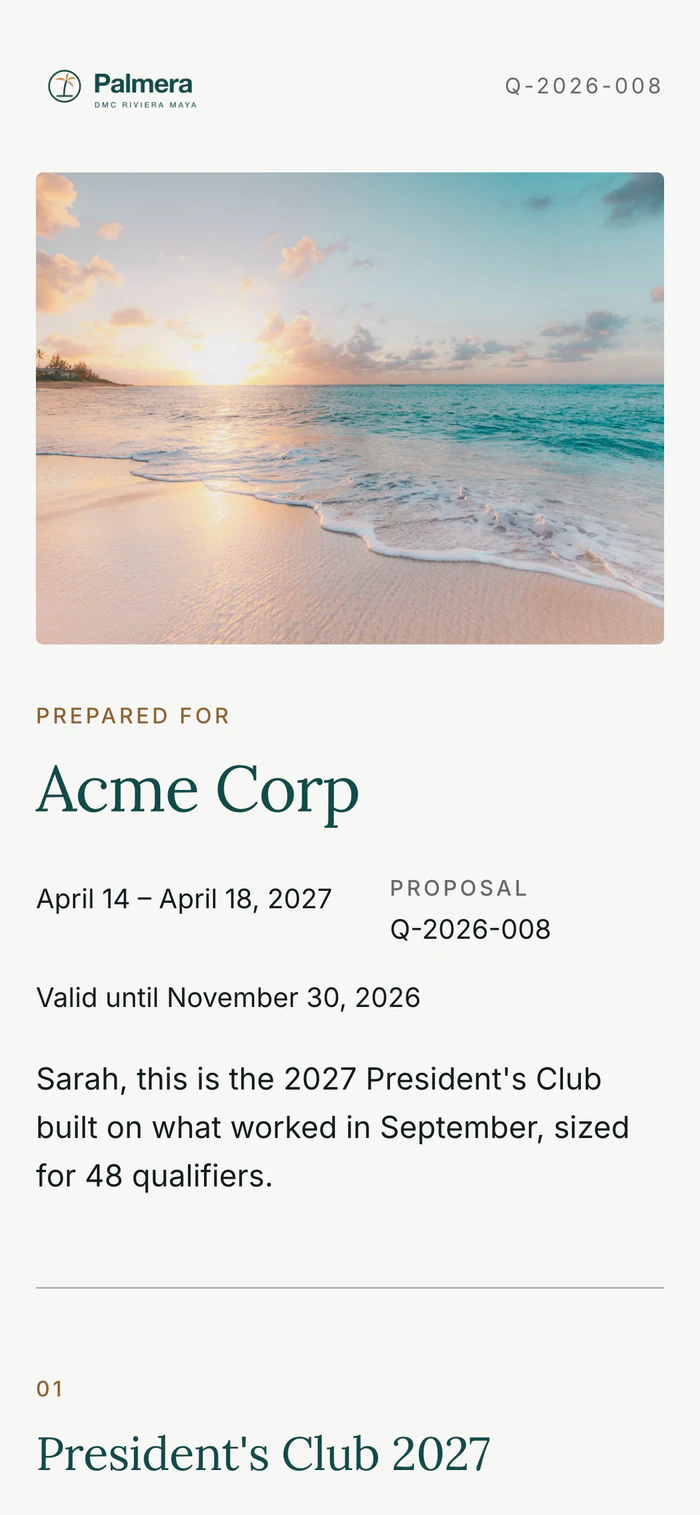
A link with your company's name, icon and link preview, and an optional password and expiry. You see when the client views it, so sales knows when to call.
Sign and start
The client signs online, on contracts from your contract library, and you upload your countersignature. Signing creates the program, and a copy of the costing is saved as its sold baseline.
When the client signs, the program is already set up.
In most DMCs, a won proposal means retyping: the itinerary into one spreadsheet, the costing into another, the supplier list into email. Here, the signed proposal becomes the program. The travel dates, destination and its time zone, guest numbers, the client and the contact all carry over. So do the services sold at their agreed prices, a booking for each supplier waiting to be confirmed, and one itinerary day for each date. A copy of the costing becomes the baseline that margin alerts watch.
Proposals sit inside the DMC sales pipeline and CRM, and on Scale and Enterprise a client brief can become a priced draft with RFP response software.
- Proposal templates for the trips you sell again and again
- Program agreements: each item can carry its time, what is included, an itinerary, notes and a guarantee date, with options, concessions and each event's total per person
- Start with whole-program pricing, and add itinerary days only when you need them
- Your client's logo beside yours, and whole amounts for companies that do not quote in cents
- Six designs: Cinematic, Editorial, Minimal, Itinerary first, Magazine and Letter, each previewed in your colors, fonts and logo; Editorial is the default
- Branding per proposal: design, colors, fonts and cover image
- Written for the client in English or Spanish, down to the PDF, the contract and the email
- Cover and line photos uploaded or picked from your files, resized before the client sees them
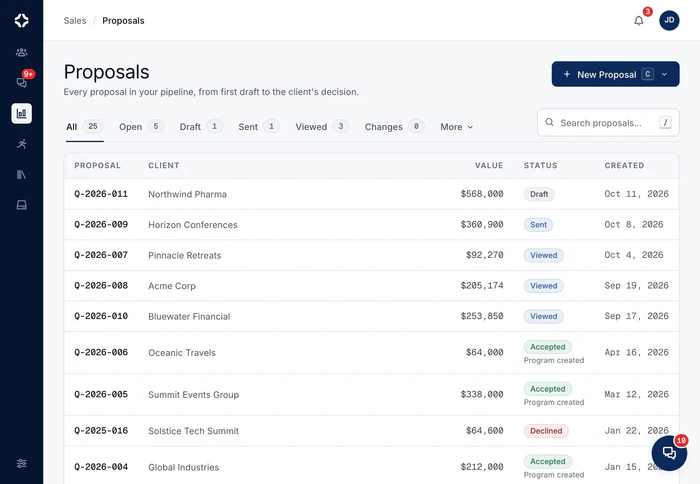
- Draft, sent, viewed and accepted, with change requests along the way, in one searchable list
- A History tab records every change, before and after
- Create the invoice from the same proposal
- Dispatch AI, the assistant built into DMC Pilot, answers questions on a proposal's status, signature and contracts
- Export to Excel or CSV: a client copy, an internal copy with cost and margin, or the content only
- Commissions for agencies and partners, with different rates on services and on fees, never shown to the client
- Included on every plan
Proposal questions
How does dual costing work?
Each line shows the client price and your cost side by side, with the margin worked out as you go. Lines can be optional (the client chooses) or hidden (for you only). Tax and a management fee are lines of their own. The client's link only ever shows the client's prices. Your cost column never leaves your side.
Can we reuse content between proposals?
Yes, from Products & Services: one price list of everything you sell, with packages and reusable text. Each item shows its client price, the supplier, your cost and your margin. A pricing rule sets what the client pays: margin or markup on cost, a fixed price, a price range, at cost, or on request. Add an item to a proposal and its price, unit and supplier come with it, so you type a rate once.
What does the client actually receive?
A link in your brand, with your logo, colors and cover, and an optional password and expiry. It reads like a designed document: cover, day-by-day events, galleries and video. At the end, they sign online. You see when they open it and how often. If they ask for changes, on the whole proposal or on one service, the people on that proposal get an email straight away.
How is the online signature recorded?
Each signature records the signer, the date and time, the consent wording, the IP address, the device and a digital fingerprint of the exact document they signed. Contracts come from your contract library as templates with versions. Each client signer signs from a private link, in the order you set. Your team adds your own signature with the signed PDF. Every version sent to a client is kept as it was, so you can always see what was agreed.
At the sales desk
Build each proposal from your own price list.
You see the margin as you work; the client never does. When they sign, the program is created for you.

Deals & pipeline
Name deal stages the way your team talks, and see them as a board or a list.
MoreProducts & Services
One price list for everything you sell: the client price, the supplier, your cost and your margin.
MoreRFP response
Turn a client brief (PDF, Word, Excel, even a scan) into a priced draft proposal.
More
Watch a brief become a signed proposal.
On a 30-minute call we price one from a sample price list and send it for signature.