


Client portal software for DMCsA live page where your client follows their program.
A client portal your corporate client can open on any phone. Client View is a live page in your company's name. Your client follows their program as it happens: guests arriving, the day's schedule, travel updates as you post them. They never see your costs or your margin. In a program, you set it up from the Client View tab.
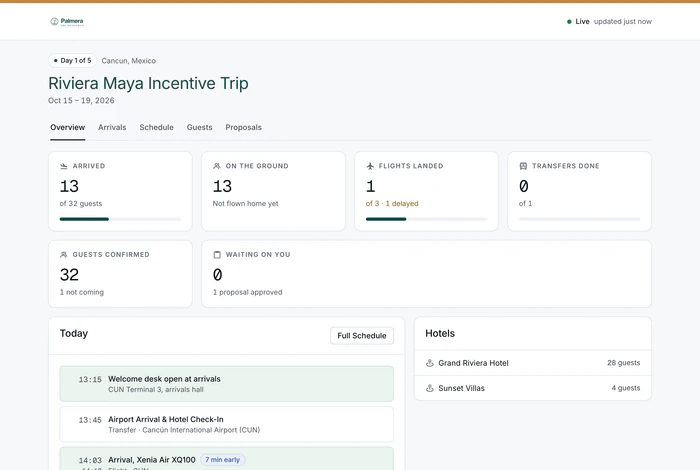
What does the client see in the portal?
Create the link
In the program's Client View tab, choose the sections, or start from a preset such as Summary only or Full operations. Preview it as your client will see it. Add a password and an expiry if you want, then share it. Switch it off whenever you like.
It fills itself in
Arrivals come from flight tracking, the schedule from the itinerary, and travel updates from the guest advisory you post in IROPS. Nobody has to keep the page up to date.
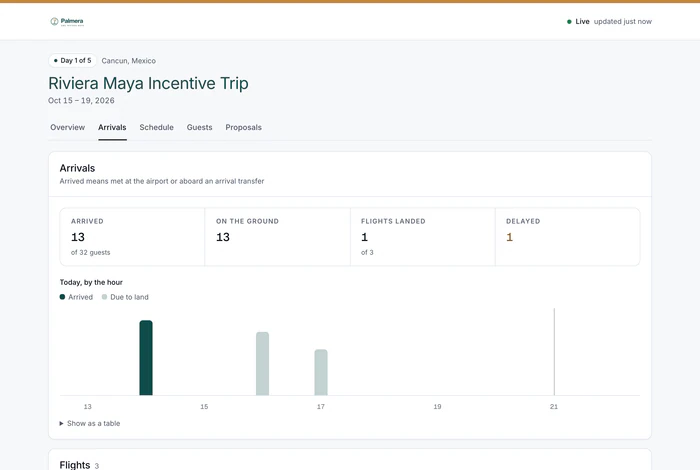

Your client checks progress without calling you.
Arrivals, the day's schedule and the guests, live, in your name.
In your name
The page, its browser tab and its link preview show your company's name and icon. Invited contacts sign in to the client portal under your brand.
After the trip
Publish the client version of the after-event report on the same link, with a PDF in your brand. It is written for the client, with no supplier or cost details. The report is on Growth and up.
Your client has a duty of care. You help them meet it.
ISO 31030 is the international standard for travel risk. Under it, staff on an incentive trip are traveling for their employer. The employer should know where they are, keep them informed and respond to incidents. Most corporate clients cannot do that on the ground. With DMC Pilot, you can give them live arrivals, the travel advisories you publish and, after the trip, a report of what was handled. A worry for them becomes a reason to hire you. The page is one of the client-facing tools in branded proposals, client portal and guest galleries, all in your company's name.
- The client sees their own guests, and nothing else
- Status first: guest names and other personal details only if you turn them on
- Travel advisories carry nothing internal
- Each link opens one program only, and shows how often it was viewed
Client portal questions
What does the client see on their page?
Guests arriving, from live flight tracking. Today's schedule. The travel advisories you post. The proposals they approved. The page refreshes every 15 seconds while it is open, and again when they come back to it. You choose what each link shows from 24 sections. These include transfers, hotels and change requests and, if you turn them on, guest names, rooming lists, invoices and payments, documents and photo galleries. It shows a calm, competent team, because it is the real state of the program.
What can the client never see?
Your supplier costs and your margin. Client View only ever reads the price the client pays. Your internal numbers stay on your side. There is no setting that could show them by mistake.
How do we control who sees it?
You share a link from the program's Client View tab. You can add a password and an expiry date, switch the link off at any time, and see how often each link was viewed. Client contacts you invite can also sign in to the client portal: a page in your company's name that lists their programs. They sign in with a one-time link sent by email, never a password, and each program opens through its own link.
Why does this help win repeat business?
Without it, the client has to trust that everything is handled. With it, they can see “452 of 600 guests arrived” for themselves, so your work is visible every day. It also helps them with their duty of care to staff who travel (the ISO 31030 standard covers people traveling for their employer): live arrivals, the travel advisories you publish and, after the trip, a client version of the after-event report.
On your client's phone
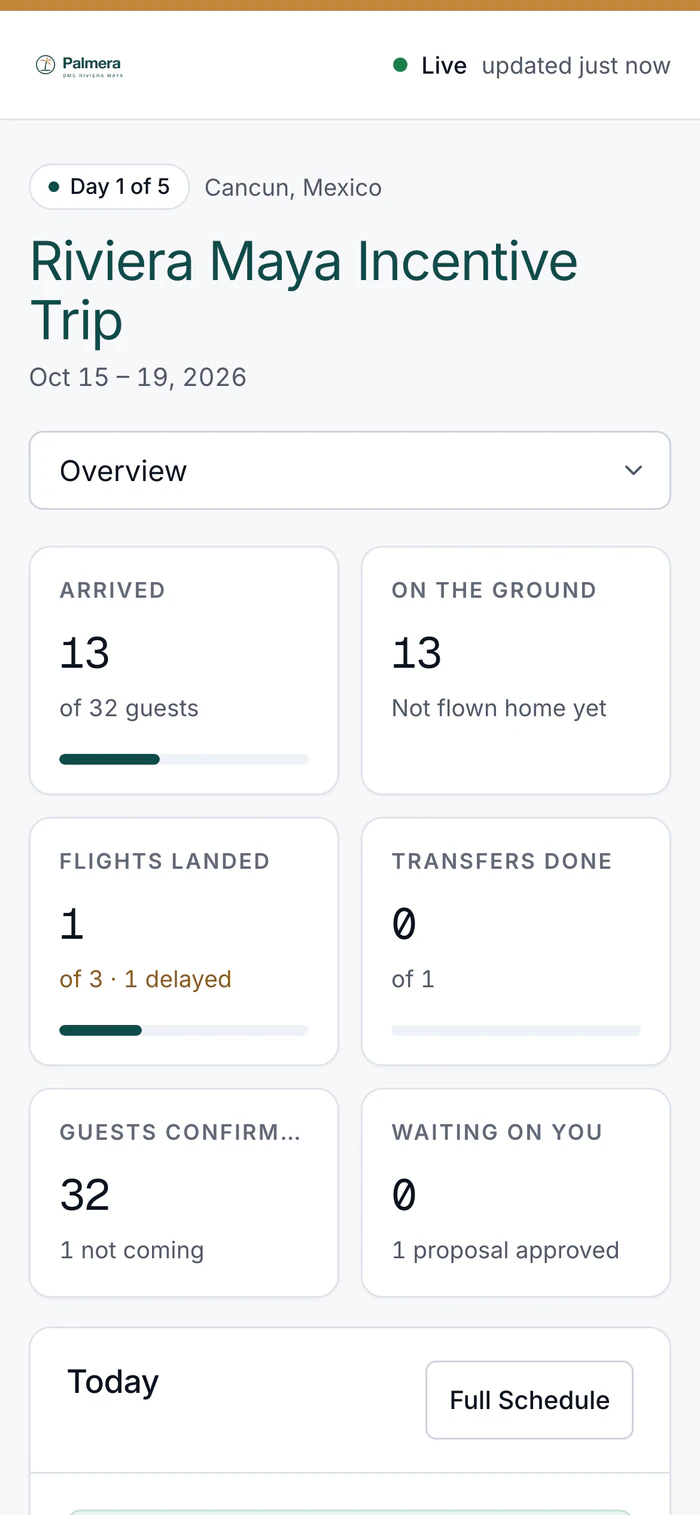
Your client opens one link to see the program.
Guests arriving, the day's schedule and travel updates as you post them. Never your costs or your margin.

Run of show
A day sheet for each day on site, filled in from the program for you.
MoreFlight tracking
Every guest's flight, watched live.
MoreAirport transfers
Transfer plans built from the flights, for you to approve. When a flight moves, the pickup moves too, or is flagged if you already approved it.
More
See DMC Pilot in a 30-minute demo.
A 30-minute call with our team, using data like yours. If it fits, we set up your price list, suppliers and first programs with you.